Web & Digital
Aug '25
The psychology of trust: how to build a trust profile on your website

Tom Bradley in Web Design & Content

Related services
When someone lands on your website for the first time, they’re unconsciously asking themselves a silent question: Can I trust you?
Psychologically, our brains are hardwired to avoid risk. Online, that instinct goes into overdrive. A tiny red flag - an out-of-date testimonial, no visible contact info or a dodgy-looking design - is enough to send a visitor running.
In fact, research from Stanford shows that 75% of users judge a business’s credibility based on website design alone.
Trust is invisible but it’s powerful. People won’t buy from you, sign up for your service or even enquire unless they feel safe and confident in your credibility. That’s why your website must work extra hard to provide visual, emotional and psychological reassurance that your business is credible.
So how can you show that you’re a safe bet?
What’s a trust profile and why does it matter?
In a physical setting, trust can be built through a handshake, a professional environment or a friendly face-to-face conversation. Online, all you have are pixels and each signal shapes how they perceive your credibility.
Psychologists call this ‘social proof’ - moments when we look to others for reassurance before making a decision.
This is where the concept of a trust profile comes in - the collection of elements across your website that combine to give visitors confidence. Think of it as your reputation translated into digital form.
Let’s break down the most effective trust indicators, why they work and how to use them.
Reviews & star ratings
Why they work
We are conditioned to look for ratings when making decisions - whether choosing a restaurant, buying on Amazon or picking a service provider.
Reviews offer quick, digestible proof from other people who’ve been in the same position. From a psychological perspective, this taps into herd mentality: if many people have chosen a product and rated it well, it must be safe to follow suit.
How to use them effectively
Volume matters: A single 5-star review is less persuasive than 50 reviews averaging 4.6
Placement matters: Don’t bury reviews on a dedicated testimonials page nobody clicks. Instead, integrate them into product pages, service descriptions and even near call-to-action buttons
Freshness matters: Outdated reviews raise doubts. Continuously gather and update
Testimonials
Why they work
Testimonials are short bursts of social proof. They offer real human voices that show potential clients what it’s like to work with you. They help remove uncertainty and build relatability.
How to use them effectively
Pair testimonials with photos or video snippets to make them feel real
Keep them short, but focus on specifics: “They increased our website leads by 37% in three months” is stronger than “They did a great job”
Scatter them strategically - a testimonial beside a sign-up form or enquiry button can be the nudge that removes hesitation
Add humanising details - a name, headshot, company name or even a LinkedIn link - to turn them into credible, relatable voices
Case studies and success stories
Why they work
Case studies are like grown-up testimonials. Instead of a quick soundbite, they provide a narrative: here’s the challenge, here’s how we solved it, here are the measurable results.
They’re powerful because they show potential clients exactly how you work and the outcomes they can expect.
How to use them effectively
Use a structured format: Challenge > Solution > Results
Keep them story-driven. People remember stories more than stats, but combine both for maximum impact
Highlight quantifiable outcomes where possible: “Reduced staff turnover by 20%” or “Boosted ROI 3x in six months”
Sector & audience pages
Why they work
Pages or sections that detail your sector expertise or the sorts of individuals you work with are a great way to show you understand your audience. Customers are often looking for proof that you’ve solved similar challenges for people like them.
How to use them effectively
Consider the challenges that your audience is likely to face and address them head on
Treat the page like a giant FAQ
Break down your experience, the results you achieve and the types of people you’ve worked with in that sector
Think about what matters most to this particular audience: results, certifications, innovation or credibility
Client logos & brand associations
Why they work
The principle of borrowed trust: if you’ve worked with a well-known company, prospects assume you’re credible enough to be chosen by them too. Even lesser-known logos still signal experience.
How to use them effectively
Display logos in a clean, grid-style layout
Only use logos you have permission to show
Place them where people need reassurance - on your homepage, near case studies or beside enquiry forms
Accreditations, memberships, qualifications & awards
Why they work
Trust can be strengthened by third-party validation. An accreditation, certification or award proves your business has been checked against industry standards. It removes the sense of you marking your own homework.
How to use them effectively
Showcase official seals or badges - but don’t just dump them in the footer
Place them strategically on conversion pages (checkout, contact form, service sign-up)
Add a short explanation of what each badge means
Keep them current. Outdated or expired accreditations can backfire
Client satisfaction scores
Why they work
Numbers are powerful because they create a sense of certainty. Saying you’re trusted by hundreds is vague, but “97% client satisfaction” feels definitive.
How to use them effectively
Choose transparent and believable metrics. Avoid overblown claims
Present stats visually - bold typography, progress bars or infographics
Use comparative context where possible: “4.9 out of 5 based on 1,342 reviews”
Security & transparency
Why they work
Trust isn’t only about reputation - it’s also about safety. Customers want reassurance that their money, data and personal details are secure. Transparency in your business practices also plays a key role.
How to use them effectively
Display SSL and payment security badges (Visa, Mastercard, PayPal, Stripe) on checkout pages
Make your contact information visible - physical addresses and phone numbers increase perceived legitimacy
Be upfront with pricing, policies and guarantees. The more you hide, the more suspicious users become
Final thought: trust is built in layers
Trust isn’t built with one magic element. It’s layered. Each trust indicator - reviews, testimonials, case studies, accreditations - works together to reassure visitors, remove doubt and make your website feel like a safe place to take action.
So, next time you audit your site, don’t just ask "Does this look good?" Ask: "Does this feel trustworthy? At every key moment on the site, have we earned the visitor's confidence to take the next step?"
That’s your trust profile.
Thanks for reading
For more news follow us @rootstudiouk
Similar posts
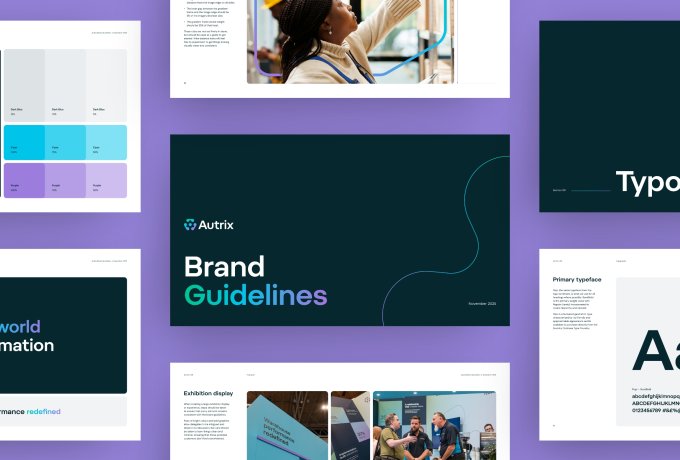
Can brand guidelines become too strict? This article looks at when rules help, when they hold a brand back and how to create space for better design decisions.

How membership organisations can make the value of membership easier to see, understand and use throughout the member journey.